⚡ SwiftDeal Ambassadors
The world rides on SwiftDeal
The world's first AI-powered ride-hailing app — book a ride, send a package, or rent a vehicle. Pay in cash, in your language, anywhere.
Get paid for every driver & rider you bring
You don't need a car, and it costs nothing to join. Just share your link — when the people you bring start using SwiftDeal, you get paid every month, straight to your PayPal.
Takes about 30 seconds · We never share your number — it's only how we send your money. No spam, ever.
Log in with the phone number you signed up with.
See what you could earn
Drag to estimate your monthly earnings. There's no cap — these are just examples.
How it works
SwiftDeal is a real, live app
Download it free from the official stores and see exactly what you're sharing.
What your referrals get
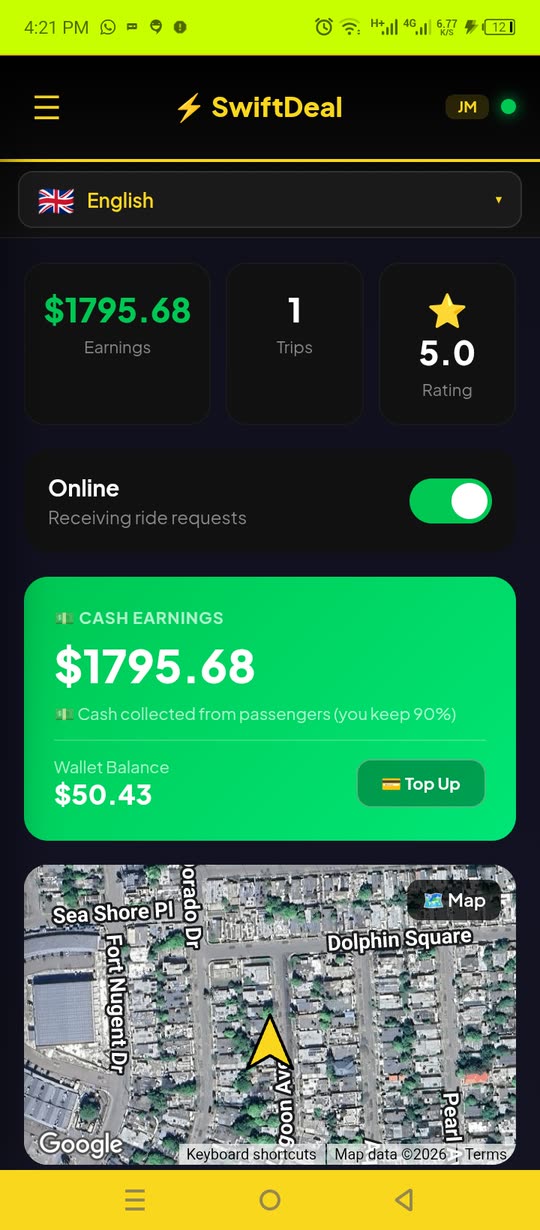
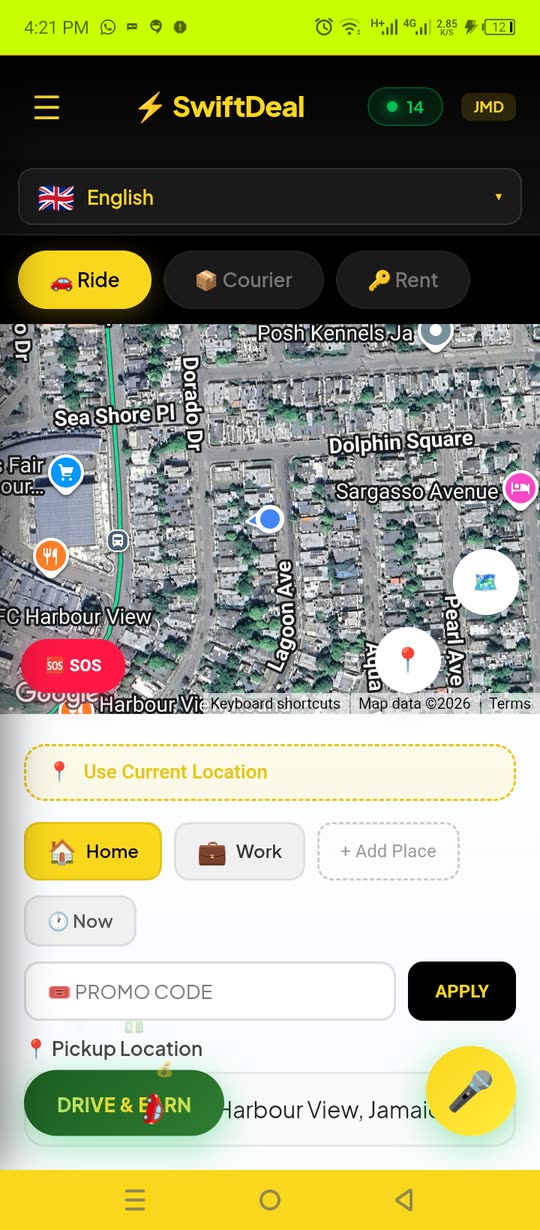
A full driver dashboard with real cash earnings, and a simple way for riders to book — this is what you're sharing.
Questions? Answered.
Is it really free to join?
Do I need a car or to be a driver?
How and when do I get paid?
How do you know who I referred?
Is SwiftDeal legit?
Ready to start earning?
It's free and takes about 30 seconds.
Welcome back!
Share your link below. You earn when the drivers and riders you bring actually use SwiftDeal.
📱 Your QR code
Show this in person — at church, events, or to a friend. They scan it to get SwiftDeal with your code already attached.
🎬 Share a video & earn
A ready-made SwiftDeal promo clip. Post it to your status, Reels or feed — sized correctly for each app — and earn when the people you bring start using SwiftDeal.
Your earnings
Payouts are sent monthly via PayPal (in US dollars) once your pending balance reaches $10. A driver counts once they complete 5 paid rides; a rider counts on their first ride.
Get the app
Download SwiftDeal yourself to see what you're promoting.
Drivers you referred
Progress toward the 5-ride bonus for each driver.
📊 Page traffic
How many people open the ambassador page — including those who don't sign up.
Unique people counts each device once. Sign-up rate = ambassadors ÷ unique people. Your own visits aren't counted.
🔐 Ambassador Admin
All ambassadors and their pending payouts. Tap "Mark Paid" after you send a payout to reset their pending balance.
Admin sign-in
Sign in with an authorized Google account to open the admin dashboard.